
A new 0-day Windows vulnerability has been discovered. This vulnerability affects all versions of Windows.
Archive for Windows
Internet Explorer 10 Update Failing
This week's Internet Explorer 10 update (KB2828223) has been failing left and right.
Patch Tuesday To Address 57 Security Vulnerabilities
Tomorrow is Patch Tuesday and this one's a big one. Microsoft is releasing a dozen updates that will address a whopping 57 security holes. So chances are, this just means another Manic Wednesday for some users.
Don’t Run Out and Get Windows 8
The new version of Windows - Windows 8 - is officially available to consumers as of today. With many people still running Windows XP, which is now 11 years old and reaches its end of life in 2013, Windows 8 is not the version of Windows we recommend running out and buying. For anyone running Liberty, as of right now Liberty is not compatible with Windows 8.
Shutting Down Windows 8 | The Long and Winding Road…
Microsoft has done us a favor and doubled the amount of steps it takes to shutdown/restart Windows 8 (as compared to Windows 7). There’s been a bit of criticism of Microsoft’s new Metro UI – i.e. the new ‘tablet-like’ interface which sits on top of the normal Desktop and Explorer interface you’re used to seeing in Windows.
I’m not here to gripe about change and while I’m not personally a fan of the Metro UI aesthetic, I get it. Microsoft is going to be pushing their Microsoft Surface hardware and the general ‘touch’ experience on Windows Phone 8.
So, once you get through Metro and make your way to the Desktop, the fun begins.
Where do we go from here?
We have the familiar Windows Desktop we’ve used for years and years, but what do? The Start button is gone and I don’t see any visual queues as to where to go. What do we do!?
Well, isn’t it obvious? Clearly you’re supposed to move your cursor to the far right-hand side of the screen’s top or bottom corners!
When we move the cursor to the right-hand top and bottom corners of the screen, it reveals
Hmmm, I want to power my computer off, which one of these buttons seems to be the best choice. Well, I guess power is a setting, so let’s try Settings! Oh, yay! I was right! Looks like we found the Power ‘setting’:
Yep, we have a winner! The Power setting lets us Shut down or Restart our system:
Woohoo! We’re finally shutting-down Windows 8!
To recap, in order to shutdown Windows 8 we:
- Hovered our cursor over one of the ‘hotspots’ at the top and left corners on the right-hand side of the screen.
- Clicked the Settings icon
- Clicked the Power icon
- Clicked Shutdown
Now, let’s compare that to Windows 7. First, we click the Start button at the lower-left:
Then we click Shutdown – amazing!
Yay! Two clicks and we’re shutting-down!
So, to shutdown Windows 7 we:
- Clicked Start
- Clicked Shutdown
For those of you out there already testing Windows 8, let me know if I’m missing something @ shutting-down Windows 8.
Windows 8 Is Almost Here…
Windows 8 is officially scheduled to launch on October 26th, 2012. The Computer Peeps are actively testing and evaluating Windows 8. We'll go into more details in subsequent posts, but thus far, we're already seeing consignment applications fail to install on Windows 8.
Windows Update ‘Update’ Disabling Windows Updates
Say that five times fast.
Throughout the morning, I’ve had about a dozen systems show that Windows Updates have been disabled:
When you go and inspect Windows Updates, it shows it is Downloading and installing updates, but it’s just spinning its wheels…
I’m seeing this systems running Windows 7 and Windows XP as well…
The first system I worked on this morning, I thought maybe a user had made an adjustment to Windows Updates. It didn’t seem likely, but the user has access to do so. I noticed the ‘update’ for Windows Update and figured maybe it choked, as Windows Updates do from time to time.
As I continued working on clients’ systems throughout the early morning though, I came across system after system in this state. From everything I can see, this would not have fixed itself and Windows Updates would’ve remained disabled.
We’re inspecting each of the systems we maintain for clients who are on our Monthly Support Plan. I thought I’d share my findings though, as disabled OS updates can and will lead to security issues.
It’s Just Another Manic…Wednesday?
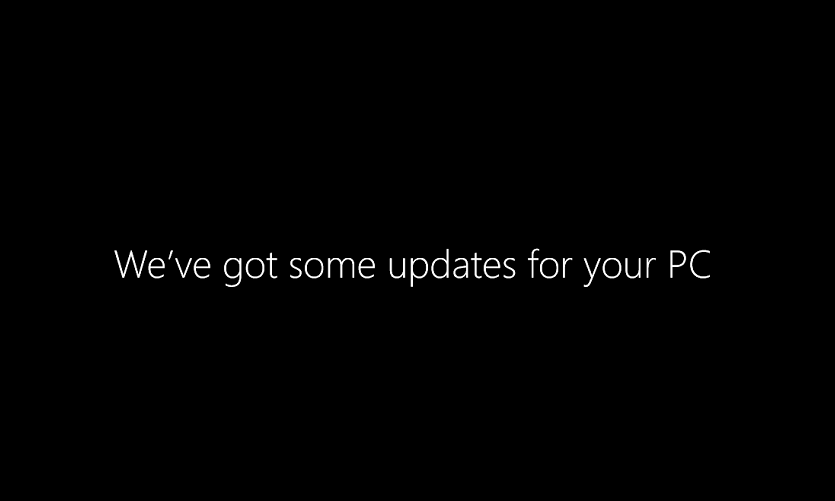
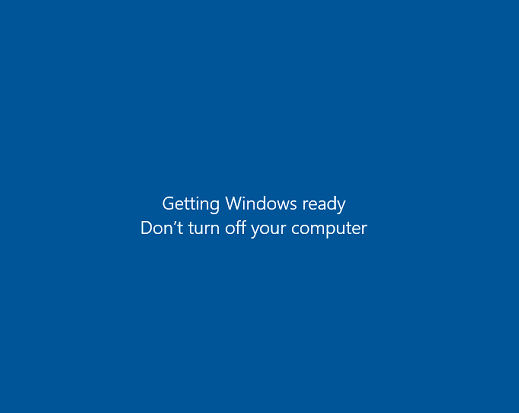
Good ol’ Patch Tuesday for Windows Updates. You need them, your computers have to have them. Every once in a while though month I have clients that report seeing the dreaded Preparing to configure Windows blank stare…
I’ve had half a dozen clients run into this issue this morning already. :/ The majority of the time a hard power-off/power back on again will kick Windows in its butt. Other times, it’s not so easy. This is when booting into Safe Mode is required and I’m going to stop right there. The steps involved in righting the system from this wronged Windows Update, aren’t something anyone should just go dabbling with. Data loss and system down-time are just two problems that can arise if you don’t know what you’re doing.
I just wanted to illuminate this issue to our clients out there and bring it to everyone’s attention. Typically, the second Tuesday of each month is when Microsoft releases updates for Windows. This usually calls for a reboot of your system, which is when the dreaded Preparing… loop begins. So be prepared on Wednesday morning and don’t panic if you see this on your screen. If you come in on the Wednesday after Patch Tuesday and see this message, we recommend the following:
- Press and hold the power button on your computer tower until your computer powers-off
- Let the computer sit for at least 5 seconds
- Power-on the computer
If after doing this, your system doesn’t boot up as normal, contact The Computer Peeps. The main thing is, don’t panic!

Thus far, we have yet to see a system that could not resume normal use after a Patch Tuesday hang-up. This issue has been going on for years too. Nonetheless, this is a good time to make sure you have a viable backup solution in place. The Computer Peeps can configure all levels of backups for your system, from basic file-level backups of your consignment software’s database, to daily system snap-shots that let you recover with the click of a button.
Malwarebytes’ Anti-Malware Pro
Antivirus alone is no longer enough though. Threats come in all shapes and sizes and “virus” no longer covers the gamut of threats out there. Once a system is compromised, it can be very difficult to regain control over. The most effective tool in regaining control over a compromised system, in our experience, is Malwarebytes’ Anti-Malware Pro.
“This computer is brand new, it should be just fine!”
This is something we hear on a daily basis here at The Computer Peeps. A client will call in stating their system is running slowly. We'll ask where the system was purchased, who recommended the system, etc. Once we remote-in and take a look, the reason behind the "slowness" becomes clear - the computer is overloaded with bloatware.